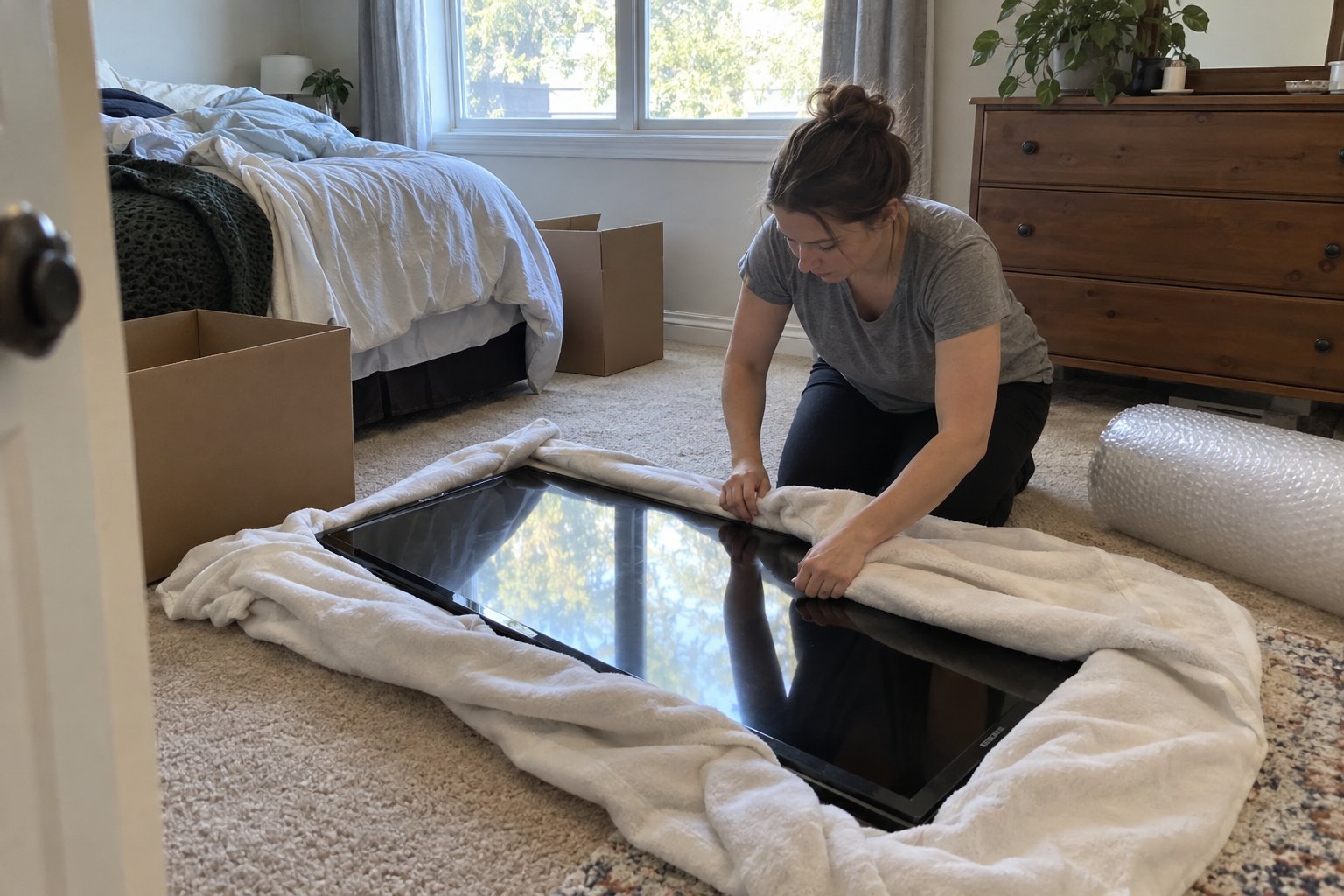
Knowing how to pack electronics for moving matters more than most people realize until a monitor arrives with a cracked corner or a game console won't power on after the truck ride. Electronics are unusually sensitive to three things movers deal with constantly: vibration, temperature swings, and static electricity. A cardboard box that works fine for a stack of towels can be genuinely risky for a television, a desktop computer, or a home theater receiver.
This guide focuses specifically on the electronics themselves, not the furniture or media collections around them. If you are also emptying a dedicated setup, our guide on packing a home theater room for moving covers the surrounding equipment and wiring in more depth. Here, the goal is narrower: how do you get TVs, computers, gaming systems, and small appliances from one house to another without anything breaking, corrupting, or simply failing to turn back on.
What Is the Safest Way to Pack Electronics for a Move?
The safest way to pack electronics for a move is to use the original manufacturer boxes whenever you still have them, since they are molded specifically to that device's shape and weight distribution. When originals are not available, use a box only slightly larger than the item, line it with anti-static bubble wrap, and fill remaining space with packing paper so nothing shifts in transit.
Anti-static materials matter more than most people expect. Standard packing peanuts and some foams can build up a static charge that damages circuit boards, especially in dry Colorado winters. Anti-static bubble wrap or foam sheets, sold at most electronics or shipping supply stores, are worth the extra few dollars for anything with an internal circuit board: computers, game consoles, receivers, and routers.
Let Devices Reach Room Temperature Before Powering On
If your move happens during cold weather, let electronics sit at room temperature for a few hours after unloading before plugging them in. Condensation can form inside a cold device when it meets a warm room, and powering on while that moisture is present is one of the more common causes of post-move electronics failure.
How Do You Pack a TV for Moving Without Cracking the Screen?
You pack a TV for moving by using a TV-specific moving box or the original box with foam corner inserts, keeping the screen facing one flat side the entire time, and never laying it flat on its back or stacking anything on top of it. Flat-screen and OLED panels are thinner and more flex-prone than older models, so pressure points that seem minor can crack the screen internally without any visible damage on the outside.
- Use a TV box with cardboard corner braces if you kept the original packaging, or buy a dedicated TV moving box sized to your screen.
- Wrap the screen in a moving blanket secured with tape or stretch wrap before the TV goes into any box, protecting against scuffs even if the box itself gets bumped.
- Transport it upright, never flat, and never let anything rest against the screen side during the ride.
- Remove the stand or wall mount bracket separately and pack the mounting screws in a labeled bag taped to the back of the TV box so they travel together.
How Should You Label and Pack Cables So You Don't Lose Track of What Connects to What
Label every cable at the moment you disconnect it, not later, using painter's tape and a marker or small numbered stickers that match a photo you take of the setup beforehand. This single habit prevents the most common post-move frustration: staring at a tangle of identical black cables with no idea which one belonged to the router versus the soundbar.
Take a quick photo of the back of your TV, computer, or entertainment center before you unplug anything. Then bag cables by device rather than by type, so the power cord, HDMI cable, and remote for one component all stay in the same labeled bag. Small parts like screws, mounting hardware, and adapters should go in their own zip-top bags taped directly to the device they belong to, not loose in a general "electronics parts" box where they are easy to lose.
Backing Up Data Before the Move
Back up any desktop or laptop you are moving before moving day, even if you plan to carry it yourself. Hard drives are mechanical and vibration-sensitive, and a bumpy ride or a dropped box is a bad time to discover your backup habits were not as good as you thought.
Which Electronics Should You Transport Yourself Instead of Loading on the Truck?
Small, high-value, or especially fragile electronics such as laptops, external hard drives, gaming handhelds, and cameras are generally worth transporting in your own vehicle rather than on the moving truck. This keeps them within your control, avoids temperature extremes in a closed trailer, and means you are not waiting on the full truck to arrive before you can work or reconnect.
Larger items like televisions, desktop towers, and home theater receivers usually do need to go with the rest of the shipment, which is where correct boxing and cushioning become non-negotiable rather than optional. If you are working with a full-service crew, ask specifically how they handle electronics packing, since professional packing services typically include electronics-specific materials and handling that go beyond what a general labor crew provides.
Do You Need Insurance or Special Coverage for Electronics During a Move?
Standard mover valuation coverage does apply to electronics, but the payout is often based on weight rather than replacement value, which can badly undervalue a lightweight, expensive item like a laptop or a high-end monitor. It is worth asking your mover directly how electronics are valued under their coverage before moving day, not after something goes wrong.
For anything you would consider a serious financial loss if it broke, such as a home studio setup or a high-end gaming rig, consider a supplemental rider or check whether your homeowner's or renter's insurance extends coverage during a move. Getting this sorted out ahead of time is far less stressful than filing a claim afterward.
Electronics are one of the few categories where a small amount of upfront preparation, the right box, the right padding, a labeled cable, a quick photo, makes a disproportionate difference in outcome. If your move includes a full home theater setup, a computer workstation, and general household boxes, our team can walk through what needs special handling versus what can travel with everything else. Get a moving quote and mention your electronics setup so we can plan for it in advance.
Frequently Asked Questions
Can I put a TV moving box flat in the moving truck?
No. TVs should always be transported upright, never laid flat, since flat-panel screens can crack under pressure or weight even when the outside of the box looks undamaged. Keep the box vertical and avoid stacking anything against the screen side.
Do I need to wipe down electronics before packing them?
A light dusting with a dry microfiber cloth is enough for most devices. Avoid liquid cleaners near vents or ports, and make sure anything you wipe down is fully dry before boxing it, since trapped moisture can cause problems during transit.
Is it okay to leave cables plugged into a computer or TV during a move?
It is better to disconnect and label all cables individually. Leaving cables attached increases the chance of a connector snapping under pressure and makes the item bulkier and harder to pad correctly inside a box.
What packing materials should I avoid for electronics?
Avoid regular packing peanuts and non-anti-static foam directly against circuit boards, since they can generate static that damages internal components. Also avoid newspaper touching screens directly, since the ink can transfer or scratch the surface.
How long should I wait to plug in electronics after a move in cold weather?
Give devices two to three hours at room temperature before powering them on if they were exposed to cold during transport. This lets any internal condensation evaporate and reduces the risk of a short or malfunction on startup.
Knowing how to pack electronics for moving matters more than most people realize until a monitor arrives with a cracked corner or a game console won't power on after the truck ride. Electronics are unusually sensitive to three things movers deal with constantly: vibration, temperature swings, and static electricity. A cardboard box that works fine for a stack of towels can be genuinely risky for a television, a desktop computer, or a home theater receiver.
This guide focuses specifically on the electronics themselves, not the furniture or media collections around them. If you are also emptying a dedicated setup, our guide on packing a home theater room for moving covers the surrounding equipment and wiring in more depth. Here, the goal is narrower: how do you get TVs, computers, gaming systems, and small appliances from one house to another without anything breaking, corrupting, or simply failing to turn back on.
What Is the Safest Way to Pack Electronics for a Move?
The safest way to pack electronics for a move is to use the original manufacturer boxes whenever you still have them, since they are molded specifically to that device's shape and weight distribution. When originals are not available, use a box only slightly larger than the item, line it with anti-static bubble wrap, and fill remaining space with packing paper so nothing shifts in transit.
Anti-static materials matter more than most people expect. Standard packing peanuts and some foams can build up a static charge that damages circuit boards, especially in dry Colorado winters. Anti-static bubble wrap or foam sheets, sold at most electronics or shipping supply stores, are worth the extra few dollars for anything with an internal circuit board: computers, game consoles, receivers, and routers.
Let Devices Reach Room Temperature Before Powering On
If your move happens during cold weather, let electronics sit at room temperature for a few hours after unloading before plugging them in. Condensation can form inside a cold device when it meets a warm room, and powering on while that moisture is present is one of the more common causes of post-move electronics failure.
How Do You Pack a TV for Moving Without Cracking the Screen?
You pack a TV for moving by using a TV-specific moving box or the original box with foam corner inserts, keeping the screen facing one flat side the entire time, and never laying it flat on its back or stacking anything on top of it. Flat-screen and OLED panels are thinner and more flex-prone than older models, so pressure points that seem minor can crack the screen internally without any visible damage on the outside.
- Use a TV box with cardboard corner braces if you kept the original packaging, or buy a dedicated TV moving box sized to your screen.
- Wrap the screen in a moving blanket secured with tape or stretch wrap before the TV goes into any box, protecting against scuffs even if the box itself gets bumped.
- Transport it upright, never flat, and never let anything rest against the screen side during the ride.
- Remove the stand or wall mount bracket separately and pack the mounting screws in a labeled bag taped to the back of the TV box so they travel together.
How Should You Label and Pack Cables So You Don't Lose Track of What Connects to What
Label every cable at the moment you disconnect it, not later, using painter's tape and a marker or small numbered stickers that match a photo you take of the setup beforehand. This single habit prevents the most common post-move frustration: staring at a tangle of identical black cables with no idea which one belonged to the router versus the soundbar.
Take a quick photo of the back of your TV, computer, or entertainment center before you unplug anything. Then bag cables by device rather than by type, so the power cord, HDMI cable, and remote for one component all stay in the same labeled bag. Small parts like screws, mounting hardware, and adapters should go in their own zip-top bags taped directly to the device they belong to, not loose in a general "electronics parts" box where they are easy to lose.
Backing Up Data Before the Move
Back up any desktop or laptop you are moving before moving day, even if you plan to carry it yourself. Hard drives are mechanical and vibration-sensitive, and a bumpy ride or a dropped box is a bad time to discover your backup habits were not as good as you thought.
Which Electronics Should You Transport Yourself Instead of Loading on the Truck?
Small, high-value, or especially fragile electronics such as laptops, external hard drives, gaming handhelds, and cameras are generally worth transporting in your own vehicle rather than on the moving truck. This keeps them within your control, avoids temperature extremes in a closed trailer, and means you are not waiting on the full truck to arrive before you can work or reconnect.
Larger items like televisions, desktop towers, and home theater receivers usually do need to go with the rest of the shipment, which is where correct boxing and cushioning become non-negotiable rather than optional. If you are working with a full-service crew, ask specifically how they handle electronics packing, since professional packing services typically include electronics-specific materials and handling that go beyond what a general labor crew provides.
Do You Need Insurance or Special Coverage for Electronics During a Move?
Standard mover valuation coverage does apply to electronics, but the payout is often based on weight rather than replacement value, which can badly undervalue a lightweight, expensive item like a laptop or a high-end monitor. It is worth asking your mover directly how electronics are valued under their coverage before moving day, not after something goes wrong.
For anything you would consider a serious financial loss if it broke, such as a home studio setup or a high-end gaming rig, consider a supplemental rider or check whether your homeowner's or renter's insurance extends coverage during a move. Getting this sorted out ahead of time is far less stressful than filing a claim afterward.
Electronics are one of the few categories where a small amount of upfront preparation, the right box, the right padding, a labeled cable, a quick photo, makes a disproportionate difference in outcome. If your move includes a full home theater setup, a computer workstation, and general household boxes, our team can walk through what needs special handling versus what can travel with everything else. Get a moving quote and mention your electronics setup so we can plan for it in advance.
Have Questions About Your Move?

Can I put a TV moving box flat in the moving truck?
No. TVs should always be transported upright, never laid flat, since flat-panel screens can crack under pressure or weight even when the outside of the box looks undamaged. Keep the box vertical and avoid stacking anything against the screen side.
Do I need to wipe down electronics before packing them?
A light dusting with a dry microfiber cloth is enough for most devices. Avoid liquid cleaners near vents or ports, and make sure anything you wipe down is fully dry before boxing it, since trapped moisture can cause problems during transit.
Is it okay to leave cables plugged into a computer or TV during a move?
It is better to disconnect and label all cables individually. Leaving cables attached increases the chance of a connector snapping under pressure and makes the item bulkier and harder to pad correctly inside a box.
What packing materials should I avoid for electronics?
Avoid regular packing peanuts and non-anti-static foam directly against circuit boards, since they can generate static that damages internal components. Also avoid newspaper touching screens directly, since the ink can transfer or scratch the surface.
How long should I wait to plug in electronics after a move in cold weather?
Give devices two to three hours at room temperature before powering them on if they were exposed to cold during transport. This lets any internal condensation evaporate and reduces the risk of a short or malfunction on startup.